Business hours
Monday to Friday (8.30AM - 5PM)
Weekend (Closed)



You sit down to do your tax return, search how to get PAYG summary, and hit an immediate annoyance. Your employer hasn't emailed anything. myGov shows something different from what you expected. The term “group certificate” still floats around, but the screen in front of you says “income statement”.
That confusion is normal. The process changed, and a lot of the frustration comes from using the old name for a document that most employees no longer receive in the old format.
The good news is that this is usually straightforward once you know where to look and what status you need to check before relying on the figures. The more useful point is bigger than the document itself. How you handle this step affects how cleanly you lodge your return, whether you avoid amendments later, and how organised your broader tax planning is for the year ahead.
Why Your PAYG Summary Is Now an Income Statement
Those searching how to get PAYG summary are looking for a document that has effectively changed shape.
In Australia, the old PAYG payment summary system has largely been replaced by Single Touch Payroll (STP), so most employees now access an income statement in myGov instead of waiting for a paper group certificate. The ATO says employers only still need to provide a payment summary by 14 July if they are operating under an STP deferral or exemption, and that summary must show how much was paid and how much tax was withheld for the financial year, as explained on the ATO's guide to PAYG payment summaries.
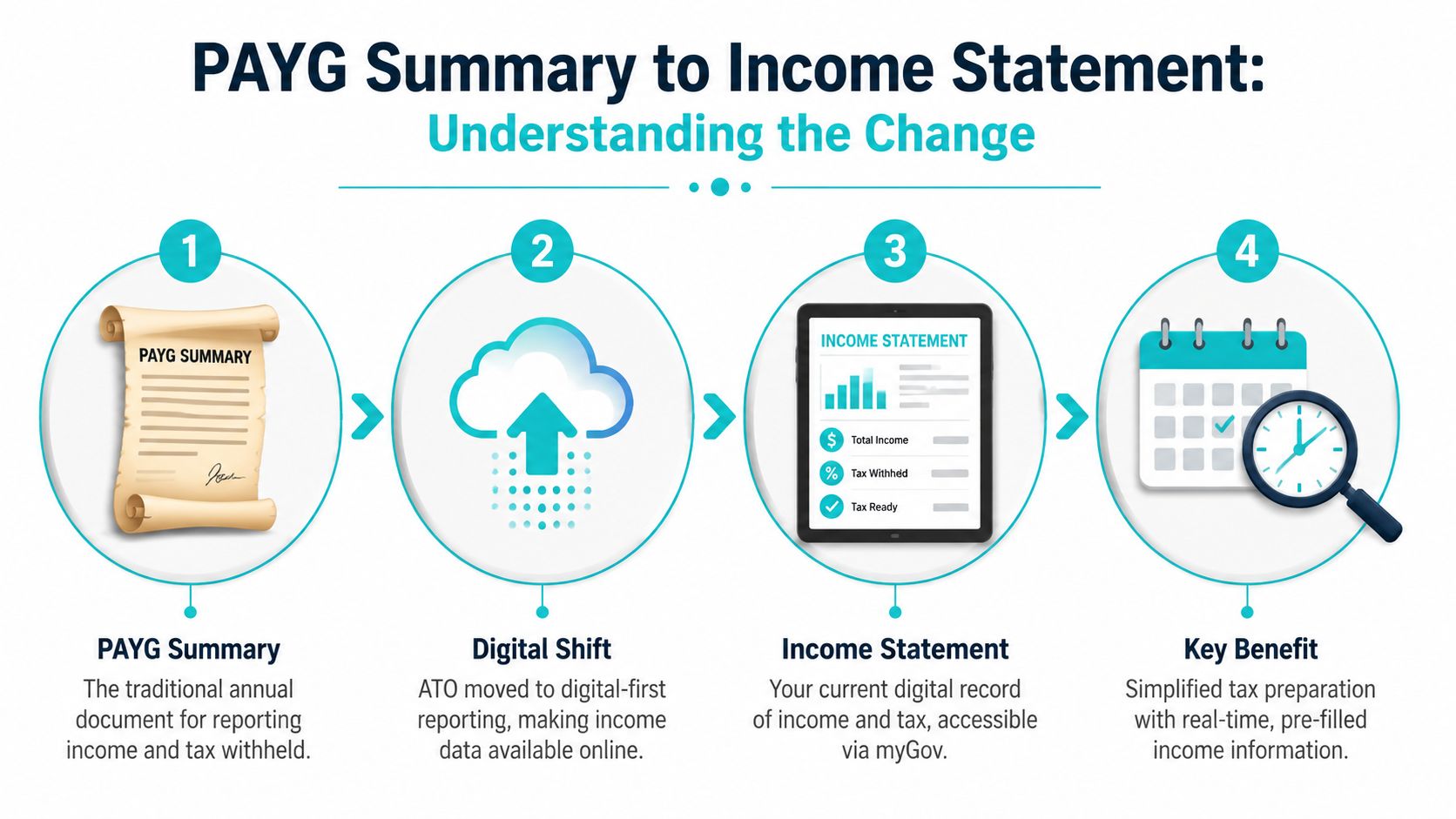
What changed in practice
Under the old setup, many workers expected a single end-of-year paper document from payroll. Under STP, employers report payroll information digitally, and employees generally view that information through myGov linked to the ATO.
That's why asking payroll for a PAYG summary often leads nowhere. Payroll may not be withholding the document from you. They may be using the system that replaced it.
Practical rule: If your employer uses STP, start with myGov before you start emailing payroll.
Why this matters beyond terminology
This isn't just an admin rename. It changes where you verify your income, where you check finalisation, and what you rely on when lodging your return.
It also helps to understand the structure behind the numbers. If you want a plain-English refresher on how businesses present earnings and expenses internally, this explainer on how to format income statements for service businesses is a useful parallel resource. It's not about your personal tax return, but it does help demystify why income reporting is presented the way it is.
For tax purposes, the key items still matter in the same way. You need the record of total payments and tax withheld. The delivery method has changed. The function hasn't.
Accessing Your Income Statement via myGov and the ATO
For most employees, the quickest path is digital. If your myGov account is linked to the ATO, you can usually find what you need without contacting your employer.

The path that works
The standard workflow is simple. Log in to myGov, open the linked ATO service, go to Employment, then Income statements, and check the status before using the figures. Guidance referenced by Baron Accounting notes that, for Australian employees, this is the fastest method and that income statements are the official replacement for many PAYG summaries once the employer has marked them tax ready, as outlined in this guide on how to get a PAYG summary.
If you haven't linked myGov to the ATO yet, that's the first hurdle. Once linked, you're not searching random menus. You're looking specifically for Employment > Income statements.
The detail people miss
The most important checkpoint isn't finding the statement. It's confirming the status.
If the statement is marked tax ready, you can generally rely on it for your return. If it isn't finalised, the figures can still change. That matters because lodging too early can create extra work later if you need to amend.
Don't treat “visible” as “final”. In practice, the status matters more than the fact the record appears on screen.
A few practical checks help:
- Confirm the employer name: Make sure it matches the job you're expecting, especially if you changed roles during the year.
- Check for multiple records: People with more than one employer often assume one statement covers everything. It usually doesn't.
- Review the status first: “Tax ready” is the green light. Anything short of that should make you pause.
- Compare with your own records: If something looks off, your final payslip is the quickest sense check.
If you're also trying to tighten up the quality of your broader tax support, it helps to know how to find a good accountant before a small mismatch turns into a drawn-out problem in lodging season.
Alternative Methods for Obtaining Your Pay Details
myGov is the first place to look, but it isn't the only route. Some employees still need a traditional payment summary. Others can access year-end payroll information through an employer portal. And sometimes the practical answer is asking payroll directly.
When myGov isn't the right path
You may need an alternative if your employer is under an STP deferral or exemption, if your myGov linkage isn't working, or if your employer uses a payroll platform that publishes year-end documents separately.
Common alternatives include:
- Direct payroll request: Best when your employer still issues a payment summary or when something in myGov is missing.
- Payroll portal access: Some employers use platforms such as ADP or Employment Hero, where payslips and year-end records are stored.
- Final payslips and payroll reports: Useful as a temporary cross-check while you wait for official finalisation.
A simple request you can send
If you need to contact payroll, keep it short and specific:
Subject: Request for PAYG payment summary or year-end income information
Hi Payroll Team,
I'm preparing my tax return and need my PAYG payment summary or confirmation of where I can access my year-end income statement.If my income statement has been finalised through STP, could you please confirm that it is available in myGov. If not, please let me know when it will be finalised or send through the relevant payment summary.
Thank you,
[Your name]
That wording gives payroll an easy path to answer. It also shows you understand there may be either an STP income statement or a traditional payment summary, depending on the setup.
Comparison of Methods to Get Your Income Information
| Method | Best For | Speed | What You Get |
|---|---|---|---|
| myGov and ATO income statement | Most employees whose employer reports through STP | Usually the fastest | Digital income statement with employment income details |
| Direct request to employer payroll | Employees with STP issues, exemptions, or missing records | Depends on payroll response | Payment summary, finalisation update, or instructions |
| Payroll provider portal | Employees whose employer uses a self-service payroll system | Fast if login access already works | Payslips, payroll records, and sometimes year-end tax documents |
The trade-off is simple. myGov is usually quickest. Payroll is often necessary when something is wrong. Third-party portals are convenient, but only if your employer has enabled the relevant documents for employees.
Troubleshooting Delays and Missing Information
Tax time problems are rarely about not knowing the menu path. They're usually about timing, missing finalisation, or records that don't line up with what you earned.
Another recurring issue is early lodgement. Guidance discussed by Hnry highlights that people are often told to wait until the status is Tax ready, but many guides don't spell out what happens if an employer hasn't finalised data or if you've had multiple employers or job changes, which is why timing and finalisation keep causing trouble in practice, as noted in Hnry's overview of how to find your PAYG payment summary.

If the statement isn't tax ready
This is the most common frustration. You can see the employer record, but the status hasn't moved to final.
In that case, the practical options are:
- Wait if you can: This is usually the cleanest approach.
- Check with payroll: Ask whether finalisation has been completed.
- Hold off on lodging: If you lodge using figures that later change, you may need to amend your return.
If the employer is hard to reach
This happens more than people expect. You left months ago, the business changed staff, or the business itself closed.
Start with your own records. Final payslips, bank deposits, employment contracts, and any payroll portal access can help you reconstruct the likely figures. Then try the formal channels you still have, such as an old payroll email address or HR contact.
A missing response from an employer doesn't automatically stop the tax process, but it does mean you need to document what you've tried and keep your records tidy.
If the details look wrong
Don't assume the ATO view is infallible. If the employer reported the wrong payroll data, the error can appear in the income statement.
Use this quick mismatch test:
- Compare gross pay against your final payslip.
- Compare withheld tax against payroll records.
- Check whether allowances, bonuses, or termination payments may explain the difference.
- Ask payroll for clarification before lodging.
Situations that regularly cause confusion
A few patterns come up repeatedly:
- Job changes: Each employer may finalise separately.
- Multiple employers: One tax-ready record doesn't mean all are ready.
- Deferred or exempt STP arrangements: You may still need a traditional payment summary.
- Early tax return lodgement: This creates amendment risk if figures are still moving.
Most tax-time stress isn't caused by a complex legal issue. It comes from small administrative gaps that snowball because no one stops to verify the status before lodging.
Lodging Your Tax Return When Your Summary Is Unavailable
Sometimes the official record still isn't available and you don't want to sit in limbo forever. In that case, the fallback is to work from the best records you do have, usually your final payslips and any year-end payroll information available to you.
That approach can be necessary, but it comes with risk. If the official income statement or payment summary later differs from the figures you used, your tax return may need to be amended.
A practical fallback
Use a cautious process:
- Gather final records: Pull together final payslips, payroll reports, and banked salary records.
- Use consistent figures: Don't mix rough estimates from memory with payroll data.
- Keep notes: Record why the official statement wasn't available and what documents you relied on.
- Be ready to amend: If the final employer reporting later appears and differs, you may need to correct the return.
If you've ever dealt with amendments before, you'll know they can drag on. For operational context, especially if you want to understand how amended-return delays affect tax workflows more broadly, Cloudvara's guide for tax professionals is a useful background read.
This is also where employment events matter. If your missing summary relates to a payout, redundancy, or termination, the tax treatment may not be as simple as reading one payslip line. This explainer on the tax treatment of redundancy is worth reviewing before you lodge based on incomplete records.
Beyond the Summary Your Annual Financial Checkup
Finding your PAYG summary, or more accurately your income statement, is a task. Tax time is also a trigger.
It's one of the few moments each year when individuals sit still long enough to review income, tax withheld, super contributions, debt position, and whether their cash flow still matches their goals. That's useful. Administrative friction can reveal bigger planning issues, such as withholding that isn't aligned to your situation, super that's being ignored, or investment decisions that were never connected to a tax plan in the first place.

The bigger review worth doing
Once your income details are in order, these are the next questions that matter:
- Tax withheld: Was enough withheld across all jobs and income sources?
- Super contributions: Are you using the year well, or drifting without a strategy?
- Debt and cash flow: Did the year improve your position, or just keep you busy?
- Investments and protection: Are your settings still appropriate for your stage of life?
For a broader EOFY operations lens, especially if you like structured checklists, this finance leaders' EOFY 2026 guide offers a practical reference point.
A well-run tax season shouldn't end with lodging. It should lead into better decisions. If you want a more strategic starting point, this guide to taxation and tax planning is a sensible next read.
If you want help turning tax-time admin into a clearer financial plan, book a free introductory call with Wealth Collective. It's a simple way to get clarity on your next step, whether that's tax planning, super optimisation, retirement preparation, or building a more organised financial life.